NICOclub

The Nissan and Infiniti enthusiast community - Repairs, modifications, resources and much more!

Search NICOclub.com

search
  • Nissan Forums
  • Infiniti Forums
  • Truck & SUV Forums
  • Datsun Forums
  • Marketplace
    • Advertise on NICOclub
    • Advertisers Directory
    • Fabricators’ Marketplace
    • Classified Ads
  • PRODUCT REVIEWS
  • TEST DRIVES
  • SERVICE MANUALS

Turbo KA Compressor Map Spreadsheets

November 10, 2018 by Greg

Or, “How to use compressor maps to choose a turbo for your KA-T build and predict power output.”
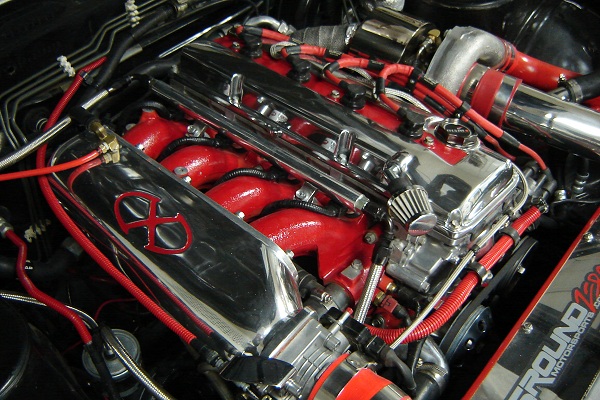
turbo KA compressor maps
I made three spreadsheets for what should be the most popular turbo choices for the KA (you’ll need Excel or something that can read Excel in order to view and use them):

20G (from the Greddy turbo kit)
T04E
GT35

Basically how it works, is you punch in your variables (boost, engine displacement, volumetric efficiency, and RPM if you want), and this thing spits out your airflow at those parameters. Not only does it do that, but it plots that airflow against the compressor map.

Want to see what happens if you bore your KA out? Plug that into the displacement cell. Got another engine you want to plot? Plug in its parameters… and you’re good to go. If you’re really ambitious, you can even plot against different compressor maps.

Here’s how to change compressor maps if you so choose:

Find an image of the compressor map you’d like to plot against. Delete the current one in whatever spreadsheet you’re viewing. If the new map is in CFM, use the 20G map… if its in lb/min, use the GT35 or T04E map.

Next, you are going to have to display the axis on the plot. In office 2007, its under “Chart Tools”, and then “layout”. Display both X and Y axis. Once you have done that, paste the new compressor map in, and “send it to the back” so that the chart overlays on top of it.

Next, you just have to align the axis of your chart, and your compressor map. Right click the chart axis, and manually set the min/max/major unit to match that of the compressor map. After that, you just have to resize/move the excel chart until everything in the axis lines up… and you’re good to go!


Filed Under: Uncategorized

Search NICOclub.com

search
Nissan Infiniti Online Forums Nissan 240sx technical information Nissan technical information Infiniti technical information Nissan Infiniti Road Tests and Reviews Nissan Infiniti Related Articles Nissan Infiniti Technical Information Articles Nissan Infiniti Events and Shows

Recent News

Nissan 350Z: Still a Strong Platform for Balanced Tuning

From Street Legends to Blue-Chip Collectibles: The Evolution of Nissan’s Heritage

NICOFest Carlisle 2026 – Another Year, Another Amazing Weekend!

Why 225/45R17 Performance Tires Are a Smart Choice for Modern Drivers

NICOFest Carlisle 2026 Results

Another Magazine Feature? Yes Please!

Japan 2026 – Nostalgic 2 Day, ZAMA, Nissan HQ, oh my!

Romik USA: Premium Running Boards for Modern Trucks and SUVs

Sponsors

NICOclub's Nissan forums and Infiniti forums and all affiliated sites are the property of HDS Holdings, Inc. They are independent publications and are not affiliated with or endorsed by Nissan or Infiniti. Information Copyright © 2000-2026 by NICOclub, all rights reserved. Material may not be copied or reprinted without written permission.

NICOclub Sitemap | NICOclub Privacy Policy

Copyright © 2026 · NICO Club 2014 on Genesis Framework · WordPress · Log in